
/Guide_BC_WhitePaper_Resource_Page_Thumbnail.png?width=260&height=171&name=Guide_BC_WhitePaper_Resource_Page_Thumbnail.png)
/Manufacturing-BC_Guide-WP-Resource_Page_Thumbnail.png?width=260&height=171&name=Manufacturing-BC_Guide-WP-Resource_Page_Thumbnail.png)
Best Practices to Define Business Capability Maps
See how IT and business align with a complete overview of your business capability landscape.
Elevate your Enterprise Architecture with Artificial Intelligence
Learn moreSAP LeanIX Customers
A growing list of industry leaders and organizations of all sizes who trust in SAP LeanIX
See Full ListMaximize market potential through a partner program offering LeanIX solutions tailored to your business model.
Learn moreTake your capabilities to the next level and arm yourself with the knowledge you need
See all resourcesEffective capability maps follow a set of clear standards that keep them structured, consistent, and usable across the business. Explore the eight most important best practices to guide new mapping efforts or improve existing capability models.
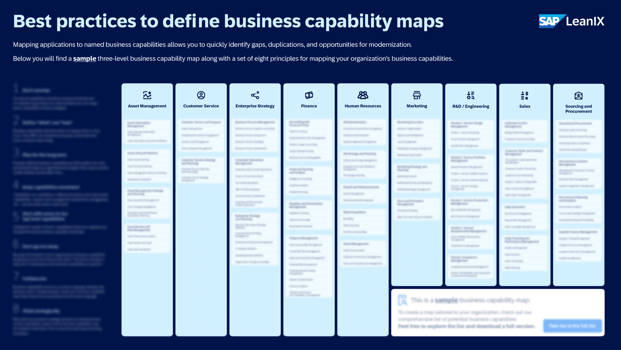
Business capability maps work best when they follow a clear and consistent structure. They provide a stable view of what the organization must be able to do, supporting strategy, planning, and business–IT alignment.
Without shared best practices, capability models often become inconsistent, overlapping, or too detailed to use.
This page outlines eight proven best practices that help teams improve capability maps that are clear, stable, and actionable.
The recommendations build on fundamentals from the business capability overview, practical instructions on how to create a business capability map, and complement resources such as the library of capability map examples used across industries.
📚 Related: 2025 Gartner® Magic Quadrant™ for Enterprise Architecture Tools
Capabilities must be mutually exclusive so every function of the business has one clear home. When two capabilities cover similar outcomes, teams cannot assign ownership, maturity levels, or supporting applications without debate.
This is one of the most common issues in both first-time mapping efforts and remapping projects.
A global manufacturing company defined both “Order Management” and “Order Fulfillment” as Level-1 capabilities. Teams struggled to place sub-capabilities such as order validation, shipping, and returns. Some business units placed them under Order Management; others placed them under Fulfillment.
The result: inconsistent reporting, double-counted KPIs, and two application owners claiming responsibility for the same system.
After a MECE review, they restructured:
Each sub-capability now fit unambiguously into one place.
Cleaning up overlaps early prevents major conflicts later when capabilities are linked to applications and users or used for heat maps, rationalization, or roadmap planning.
A capability describes what the business must be able to do — not the activities, workflows, or systems used to do it. This distinction keeps the capability map stable over time, even as processes change, teams reorganize, or applications are replaced.
A financial services company initially defined capabilities such as “Process Customer Loan Applications” and “Perform Credit Checks in System X.” These were written as activities tied to specific systems and teams.
When the company introduced a new credit decisioning platform and redesigned parts of the loan process, the capability map became obsolete overnight.
During remapping, they shifted to true capability definitions:
These terms remained valid regardless of process steps or technology changes. The map then served as a stable foundation for the entire lending transformation program.
Clear “what” statements make the capability map more durable, more strategic, and easier to use for portfolio assessments or alignment with enterprise architecture disciplines like business architecture.
A capability map should remain stable for years, even as processes, systems, and organizational structures evolve. Capabilities describe enduring business functions, so constant restructuring or renaming defeats the purpose. Long-term stability allows the map to support strategy, portfolio management, and transformation initiatives without needing a full rebuild each time something changes.
A global retailer remapped its capabilities every time a reorganization occurred — for example, when the e-commerce unit moved under Marketing, they merged “E-Commerce Operations” into “Digital Marketing.”
The problem? Three years later, the retailer’s e-commerce function operated independently again, and the capability model no longer matched reality. IT systems, KPIs, and investment cases were misaligned because the foundational structure kept shifting with org charts.
During a subsequent ERP modernization effort, they adopted stable, business-model-driven capability definitions:
These remained unchanged through later reorganizations, allowing the map to serve as the anchor for technology planning and transformation governance.
Capabilities should only be updated if the business model changes — not because teams, processes, or applications shift. This stability is what makes capability maps useful across strategic planning, application rationalization, and initiatives like pace-layering or roadmap creation.
Poster
Optimizing your enterprise architecture begins with a structured overview.
A capability map works only when the entire organization uses the same naming, same definitions, and same structure. Inconsistent terminology across business units leads to duplicated work, incompatible assessments, and conflicting interpretations of what each capability covers. Consistency allows capabilities to become a shared reference across strategy, architecture, finance, and transformation teams.
A multinational company allowed each region to define its own capability labels. Europe used “Customer Management”, North America used “Customer Operations”, and APAC used “Customer Experience Management.”
Although they described nearly the same scope, the difference in naming caused major issues:
During a global standardization initiative, they aligned on one set of capability names and definitions. This enabled unified reporting, a consolidated application landscape view, and consistent strategic planning across markets.
Standardizing capability names early prevents misalignment later when capabilities are tied to transformation programs, operating models, or application portfolios.
A clear capability map begins with a manageable number of Level-1 capabilities. Seven to ten is usually the right range to describe the business at its highest level without collapsing important differences or adding unnecessary complexity. Too few creates categories that are too broad to be useful; too many make the map harder to understand and maintain.
A logistics company originally defined 18 Level-1 capabilities, including Transport Scheduling, Carrier Contracting, Route Optimization, Shipment Tracking, and Delivery Management as separate top-level items.
During portfolio discussions, executives struggled to see the big picture. IT couldn’t use the map for rationalization because every capability was so narrow that nearly every application mapped to multiple Level-1 domains.
When the organization remapped its structure, they grouped the many fragmented items into broader, strategic Level-1 capabilities such as:
This allowed the team to analyze capabilities holistically and identify meaningful areas for investment, modernization, and simplification.
A strong Level-1 structure might include:
Attempting to elevate operational or departmental activities (e.g., Accounts Payable, Quality Assurance, CRM Operations) to Level-1 creates a map that is too detailed at the top layer and less effective for strategic alignment.
A small, well-defined set of Level-1 capabilities creates the foundation for a readable and stable enterprise capability model.
A capability map should provide enough structure to support decision-making without turning into a process catalog. Most organizations achieve the right balance with two or three levels. Going further reduces clarity, increases maintenance effort, and distracts teams from the strategic purpose of capability mapping.
A regional insurance provider expanded its map to six levels because each department wanted its operational tasks represented. Under Claims Management, they listed steps such as initial triage, review documentation, assign adjuster, update claim file, and issue payout.
Within a year, the map became difficult to maintain. Every process improvement, team change, or system update triggered dozens of edits. When the company attempted to link applications to capabilities, they couldn’t tell which of the detailed levels should be used for rationalization or reporting.
During a remapping effort, they collapsed the lower layers and kept only meaningful levels:
These broader capabilities were stable, strategic, and compatible with both business and IT portfolio discussions.
Appropriate depth (L1 → L2 → optional L3):
Overly detailed depth (turning into processes):
Limiting depth ensures the map is useful for planning, assessments, and linking to applications — without becoming a workflow repository or operational manual.
Business capability mapping only succeeds when it is co-created by business and IT stakeholders. Collaboration ensures that the map reflects real operational needs, has strategic relevance, and gains the buy-in required for use in planning, governance, and transformation programs. When created in isolation, capability maps often fail to gain adoption.
A global pharmaceutical company tasked its enterprise architecture team with building a capability map on its own. The result looked structurally correct, but business leaders did not recognize the terminology or agree on ownership. During portfolio planning, departments ignored the map entirely and continued using their own models.
The company restarted the effort using collaborative workshops that included:
The revised capabilities — such as Clinical Trial Management, Regulatory Compliance, and Manufacturing Quality — were defined in language the business trusted. These sessions also clarified ownership and became a key input for ERP transformation.
Capabilities that benefit heavily from collaboration include:
Cross-functional involvement ensures capabilities represent how the business actually creates value, not how one department prefers to describe it.
A capability map should always support strategic decision-making, not just documentation. Thinking strategically means using capabilities to understand where the business must evolve, which functions need investment, and how technology and processes should adapt. When capabilities are tied to strategy, the map becomes a practical tool for transformation, prioritization, and long-term planning.
A consumer goods company built a capability map but never connected it to strategic priorities. As a result, the map was rarely used outside the architecture team.
When the company launched a digital commerce initiative, they initially focused on system upgrades instead of strategic capabilities. Only after revisiting the map did they realize that E-Commerce Management, Digital Marketing, and Customer Analytics were all low-maturity capabilities holding back growth.
By assessing these capabilities against the new strategy, the company identified clear priorities: enhancing customer insights, modernizing the commerce platform, and strengthening digital operations. The capability map shifted from a static artifact to a guiding framework for investment and transformation.
Capabilities typically influenced by strategy include:
Strategic thinking ensures capability mapping is more than classification — it becomes a bridge between where the business wants to go and how the organization must evolve to get there.
A capability map only delivers long-term value when it becomes part of the organization’s planning and governance routines.
After the initial mapping exercise is complete, teams need clear ownership, consistent updates, and integration with ongoing transformation programs. Embedding the map into governance ensures it remains accurate, strategic, and actively used across business and IT.
Free poster
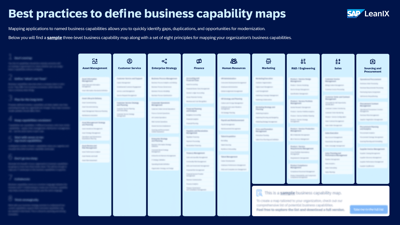
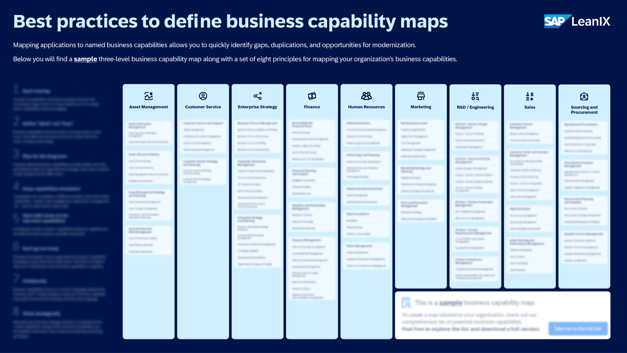
See how IT and business align with a complete overview of your business capability landscape.
What is a business capability map?
A business capability map is a structured view of what an organization must be able to do to execute its strategy. It organizes core functions into a consistent hierarchy and serves as the foundation for business architecture, planning, and transformation. A detailed introduction is available in the overview of business capabilities.
How do you create a business capability map?
Creating a capability map involves defining Level-1 capabilities, expanding them into sub-capabilities, ensuring they are non-overlapping, assessing performance, and linking them to applications and users. The step-by-step approach is described in the guide on how to create a business capability map.
What is business capability mapping?
Business capability mapping is the practice of identifying, structuring, and visualizing the key abilities a business needs to operate and achieve its goals. It helps align strategy, processes, and IT systems and is a core discipline within business architecture.
How do you map business capabilities?
Teams map capabilities by identifying core business functions, defining their outcomes, grouping them into levels, and validating that the structure is complete and non-overlapping. Workshops with business and IT stakeholders are typically used to build and refine the model, as explained in the practical guide on business capability mapping.
How do you create a business capability map template?
Templates are created by defining a standard set of Level-1 capabilities, naming conventions, and hierarchy rules that can be reused across domains or business units. Many organizations adapt industry examples to ensure consistency and comparability; see the collection of business capability map examples and templates for reference structures.
See how IT and business align with a complete overview of your business capability landscape.
Define your business capabilities!
