Elevate your Enterprise Architecture with Artificial Intelligence
Learn moreSAP LeanIX Customers
A growing list of industry leaders and organizations of all sizes who trust in SAP LeanIX
See Full ListMaximize market potential through a partner program offering LeanIX solutions tailored to your business model.
Learn moreTake your capabilities to the next level and arm yourself with the knowledge you need
See all resources
Enterprise architecture modeling is defined as the practice of creating structured representations of an organization's technology landscape, business capabilities, and the relationships between them.
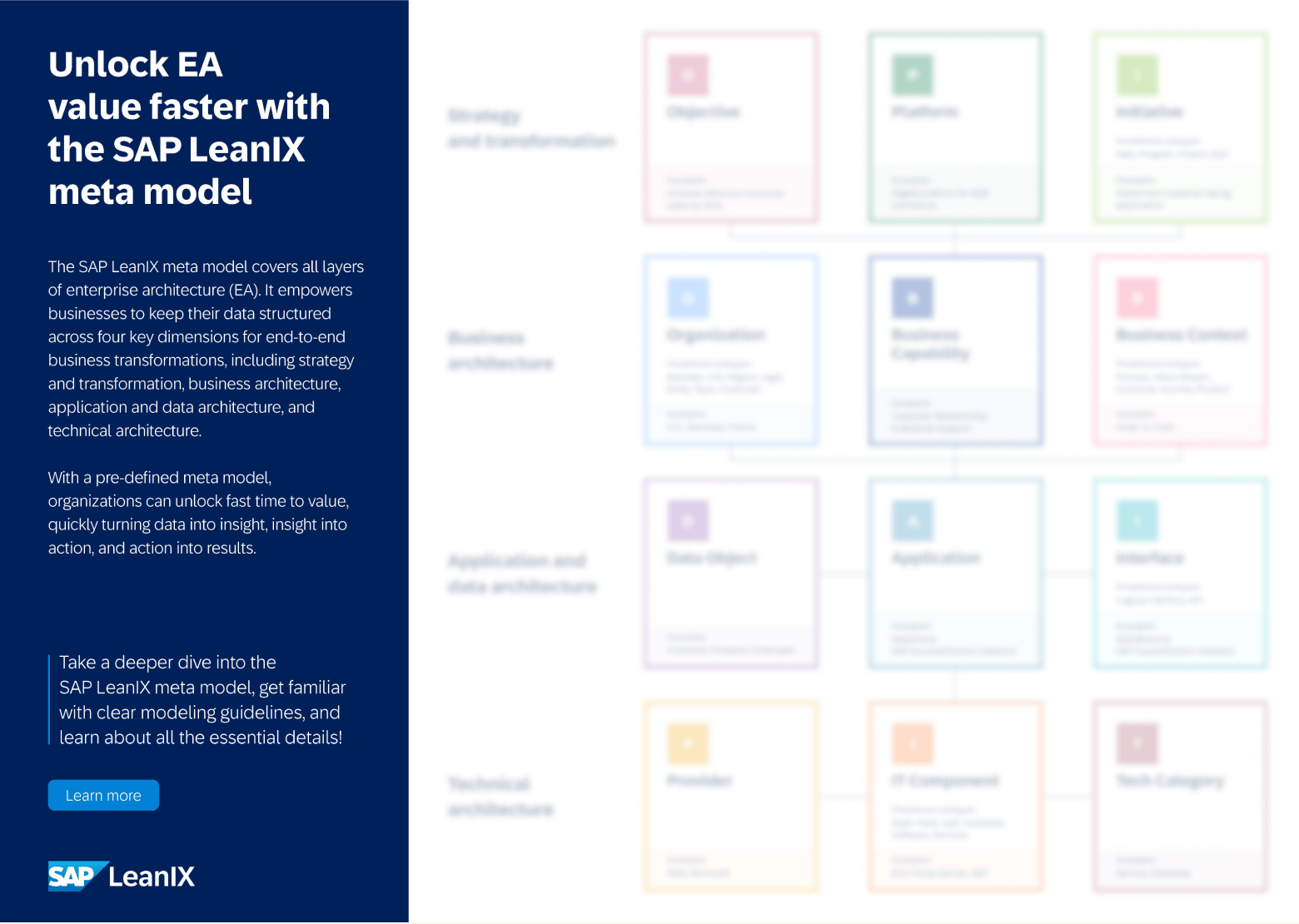
► Discover how you can utilize the pre-defined Meta Model from LeanIX
Enterprise architecture modeling is the practice of representing an organization's IT assets, business capabilities, processes, and their interdependencies in a structured form. The output (whether a formal diagram, a data repository, or both) gives architects and decision-makers a shared view of the architecture that can be navigated, governed, and used to model change.
Modeling serves several distinct purposes in EA practice:
At the most foundational level, it creates a single source of truth: a maintained record of what applications exist, how they connect to each other and to business capabilities, and what their lifecycle status is
At a more analytical level, it enables scenario planning: modeling what the architecture would look like under different transformation paths, and assessing which path minimizes risk or cost
At the communication level, it translates complex IT interdependencies into views that business stakeholders and CIOs can interpret and act on
The challenge in all three cases is that modeling depends on data quality and stakeholder adoption. A model that is accurate when built but not maintained loses its value quickly.
Architecture teams that produce formally notated diagrams but cannot get application owners and business stakeholders to engage with them create governance bottlenecks. Understanding this challenge is central to choosing the right modeling approach for your organization.
EA tools store architecture information as structured data: typed records for applications, capabilities, interfaces, and IT components, linked by defined relationships. This is different from drawing a diagram. The diagram is generated from the underlying data, which means it reflects the current state of the repository rather than a snapshot from when someone last edited the file manually.
Most EA tools work with a metamodel: a configurable schema that defines what types of objects exist in the repository, what properties they carry, and how they relate to each other. The metamodel determines what questions the architecture can answer: which applications support which business capabilities, what the lifecycle status of each technology component is, where the highest risk exposure sits across the portfolio.
Diagrams in EA tools are views over this data. A portfolio heat map, a capability map, a transformation roadmap: each is a different lens on the same underlying repository. This means the same application fact appears consistently across every view, and updating it in one place updates it everywhere. The practical implication: the value of EA modeling comes from the quality and currency of the data, not from the visual fidelity of any individual diagram.
EA frameworks provide the structure for how architecture work is organized: what categories of decisions to make, what artifacts to produce, and how to govern the process. They do not prescribe a specific tool or notation, but they do define the types of views and models an EA function should maintain.
The most widely adopted frameworks include:
TOGAF: the most widely used EA framework globally, defining the Architecture Development Method and the types of architecture domains to model
Zachman Framework: a classification matrix that organizes architecture artifacts by perspective (who, what, when, where, why, how) and by audience
FEAF: the US Federal Enterprise Architecture Framework, used across government agencies and referenced in regulated industries
SABSA: a security-focused EA framework used where risk and compliance architecture are primary concerns
EA tools implement framework support through metamodel configuration: Fact Sheet types, view templates, and governance workflows can be aligned to TOGAF phases, Zachman columns, or any other framework's artifact taxonomy.
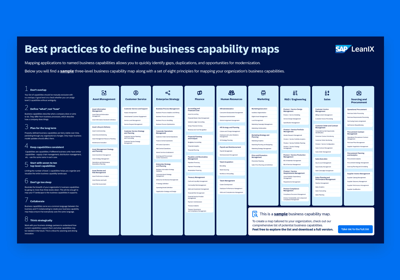
Poster
This poster helps you create the perfect business capability map for your organization with visual capability mapping examples.
ArchiMate is the standardized notation language for enterprise architecture, maintained by The Open Group. It provides a defined set of element types, relationship connectors, and layer conventions that allow architects to produce formally notation-compliant models.
ArchiMate is the EA-specific modeling standard, distinct from process modeling standards like BPMN or software modeling standards like UML, which address different layers and link to different disciplines.
For organizations that need formally auditable, notation-compliant EA models (particularly those aligning to TOGAF governance or operating in standards-driven industries) ArchiMate is the notation of choice.
SAP LeanIX uses a structured data modeling approach. The core unit is the Fact Sheet: a typed record for each architecture object (Application, IT Component, Business Capability, Interface, and others). Fact Sheets carry configurable fields, lifecycle dates, and tagged relationships to other Fact Sheets. The complete set of Fact Sheet types and their relationships constitutes the SAP LeanIX metamodel.
Diagrams in SAP LeanIX are generated from Fact Sheet data rather than drawn manually. This means diagrams stay current as the repository is updated: an architecture view produced today reflects the same data as one produced last quarter, with the differences visible rather than hidden in stale static files.
ArchiMate support is available through the SAP LeanIX diagram editor. ArchiMate 3.1 and 3.2 are supported. Workspaces can be configured according to TOGAF and visualized using ArchiMate notation, though this is not on by default. Teams that want to work in ArchiMate notation can enable it and produce ArchiMate-aligned views from the same underlying portfolio data.
For teams that do not need formal notation compliance, SAP LeanIX native diagrams cover the most common EA visualization needs: capability maps, application landscape views, transformation roadmaps, and interface diagrams, without requiring ArchiMate training or notation discipline from application owners and business stakeholders.
Organizations that have invested in existing architecture diagrams (in Visio or ArchiMate-format files) can import that content into SAP LeanIX without manual re-entry.
Diagram data can be imported via XML and Visio files, preserving the structure of existing models within the repository. For organizations making the transition from a notation-first tool to a portfolio-first tool, or moving to a combination setup, this means the historical modeling investment does not have to be abandoned.
For teams that want to maintain ArchiMate alignment within a portfolio tool, custom Fact Sheet types and categories can be configured to represent ArchiMate element types: allowing organizations to preserve ArchiMate structural conventions while benefiting from the portfolio tool's governance, automation, and adoption features. Understanding the enterprise architecture meta-model structure is essential for any team configuring an import or transition from a formal notation environment.
The EA Assistant extends this further: the content agent automates data enrichment, keeping Fact Sheets current without manual input from the EA team. This directly addresses the data quality challenge that determines how much value any EA model delivers, regardless of which notation standard is in use.
"LeanIX is a great tool to start your EA practice journey. Its prebuilt framework allows creating models very quickly to show how the current technology landscape supports business capabilities." — 5★, Enterprise Architect - G2
EA modeling tools fall into two distinct categories based on their design philosophy.
Formal modeling tools are built around notation standards. They enforce the rules of ArchiMate and produce diagrams that adhere to those standards. The output is a formally notated model: interpretable by anyone trained in the standard, auditable against the specification, and portable to other tools that support the same standard.
These tools are the right choice when the primary need is notation rigor: auditable architecture models, compliance with The Open Group standards, or detailed interface-level documentation that requires precise relationship typing.
They are well-suited to EA teams that operate as a specialist function, maintaining formal models consumed by governance processes and architecture review boards.
Structured data modeling tools (the approach taken by purpose-built EA platforms) organize architecture information into typed data records linked by defined relationships, without requiring adherence to a formal notation standard. Diagrams are generated from the underlying data rather than drawn manually, which means they stay current as the data changes.
The primary output is not a notation-compliant diagram but a maintained, queryable repository of architecture facts: which applications support which capabilities, what lifecycle decisions apply, what the technology risk exposure is across the portfolio.
These tools optimize for the breadth of the application inventory, the speed of initial data collection, and the ability to drive data maintenance across application owners and business stakeholders without requiring EA expertise from every contributor.
The enterprise architecture tool selection guide covers how organizations assess these trade-offs when evaluating options.
Neither approach is universally superior. The trade-off is explicit: formal modeling tools optimize for notation depth and auditability; structured data tools optimize for coverage, currency, and stakeholder adoption.
The first question for any organization selecting an EA tool is not "does it support ArchiMate?" but "what problem is most pressing for our EA program right now?"
For organizations whose primary bottleneck is maintaining an accurate, current view of the portfolio across hundreds or thousands of applications, a notation-depth-first tool adds overhead without addressing the core problem.
For organizations with a mature, specialist EA function that already has good portfolio data and needs formal governance documentation, the notation-first tool may be the right fit, or a complement to the portfolio tool.
Many mature EA programs use two tools in combination: one for portfolio governance, one for formal notation, because the problems are separable and neither tool handles both well for most organizations.
The combination works as follows:
The portfolio tool maintains the authoritative application inventory: application fact sheets, business capability maps, lifecycle tracking, technology risk views, and governance dashboards accessible to all stakeholders, not just the EA team
The specialist notation tool handles the formal modeling layer: ArchiMate views, detailed interface diagrams, and solution architecture documentation for architecture reviews
The integration layer connects the two: structured data from the portfolio tool feeds into the modeling tool's views; diagram data from the modeling tool can be referenced within the portfolio tool
This architecture reflects how the enterprise architecture team typically divides its work: governance, adoption, and portfolio-level analysis are managed through the portfolio platform; formal documentation for architecture reviews and compliance purposes is produced in the notation tool.

Quickly turn data into insight and insight into tangible results!
See the full picture across Strategy & Transformation
See the full picture across Business Architecture
See the full picture across Application & Data Architecture
See the full picture across Technical Architecture
Does adopting an EA management platform mean giving up formal modeling?
What's the difference between drawing a diagram in Visio and modeling in an EA tool?
Visio produces visual representations of architecture but does not manage the underlying data or enforce relationships between entities. An EA management platform manages structured data with enforced relationships: applications linked to capabilities linked to interfaces linked to IT components. Diagrams are generated from that data, which means they reflect the current state of the repository rather than a snapshot from the last time someone edited the diagram manually.
Is ArchiMate required for enterprise architecture?
No. ArchiMate is a standard for formal notation, not a requirement for effective EA practice. Many organizations run mature, well-governed EA programs using structured data tools without ArchiMate-notation diagrams. ArchiMate is most valuable for EA functions that need formally auditable models, interoperability with other ArchiMate-native tools, or strict adherence to The Open Group standards.
How do you choose between a notation-first and a portfolio-first tool?
Identify your primary bottleneck first. If accurate, current data across the full application portfolio is the limiting factor (if the EA team spends significant time chasing application owners for updates, or if the inventory is unreliable) a portfolio-first tool addresses that directly. If the portfolio data is already solid and the bottleneck is formal documentation for governance and audit, a notation-first tool or combination may be appropriate.